mdadash.backend.analyses.rmsd
RMSD Analysis
Classes
|
RMSD Analysis |
- class mdadash.backend.analyses.rmsd.RMSD[source]
Bases:
WidgetBaseRMSD Analysis
This widget uses MDAnalysis.analysis.rms.rmsd to calculate RMSD of a selection. The reference positions used by this widget are the initial positions of the selection available for the trajectory from the reference timestep (
ref_u).Note
If you use trajectory data from simulations performed under periodic boundary conditions then you must make your molecules whole before performing RMSD calculations so that the centers of mass of the mobile and reference structure are properly superimposed.
You can add custom transformations to the universe in the Universe Configuration section in the Settings page of the dasboard.
Inputs
- Run frequency
- The frequency with which the widget is run - every-frame or batch
Default:
every-frame
- Run mode
- The mode in which the widget is run - serial or parallel
Default:
serial
- Selection
- MDAnalysis selection phrase
Default:
protein
- Center
- Subtract center of geometry before calculation
Default:
False
- Superposition:
- Perform a rotational and translational superposition with the fast QCP algorithm
Default:
False
- Weights:
Weights to use to compute weighted average.
One of
None,masses,charges,Custom functionDefault:
None- Custom weights function:
Name of the custom weights function to use to obtain weights. This is applicable only when the Weights input above is set to
Custom function.A custom function can be defined using the Notebook interface. The function should take one parameter (MDAnalysis
AtomGroup) as input and should return a 1D array of weights of the same length as the passed in selectionAtomGroup.Example:
import numpy as np

def rmsd_custom_weights_function(ag):
    return np.sqrt(ag.masses)
Default: ‘’
- Custom title
- Custom title for the plot
Default: ‘’
- Max values
- Max values to show in plot
Default:
100
- Plot refresh frequency
The frequency with which the plot is refreshed (every n frames). This only applies when the run frequency is
every-frameDefault:
1- Reset on connect
- Reset the plot on every connect
Default:
False
- X-axis
- X-axis value - time or step
Default:
time
Output
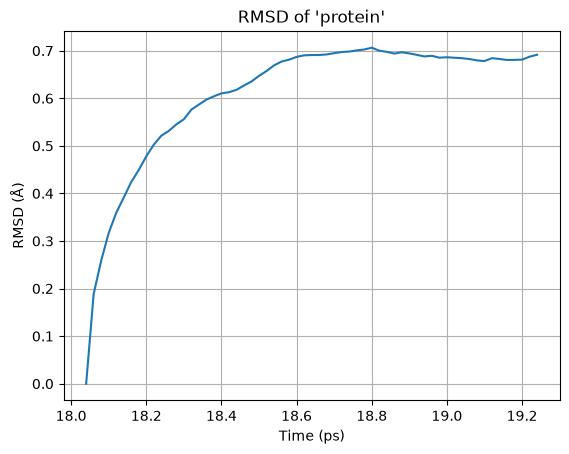
Here is an example output plot of this widget:
Tip
This widget supports batching and can run in parallel
- apply_parallel_results(values)[source]
apply_parallel_results()handler
- description = 'RMSD of a selection'
- get_parallel_job()[source]
get_parallel_job()handler
- name = 'RMSD'
- on_input_change(attribute, _old_value, new_value)[source]
on_input_change()handler
- on_post_connect()[source]
on_post_connect()handler
- on_post_create()[source]
on_post_create()handler
- run_batch()[source]
run_batch()handler
- run_every_frame()[source]
run_every_frame()handler